
Search or scan a can
Look up a drink from the Energeia catalog, scan a barcode, or add a can that is not in the list yet.
Personal · iPhone
Energeia Tracker is the calm personal layer of the archive. Log what you open, see patterns, and skip the noise.
The same verified catalog lives here on Energeia Hub. The app is for today: search or scan, log it, and see how it adds up.
Simple, health-forward tracking for caffeine and sugar — without clutter.
Look up a drink from the Energeia catalog, scan a barcode, or add a can that is not in the list yet.
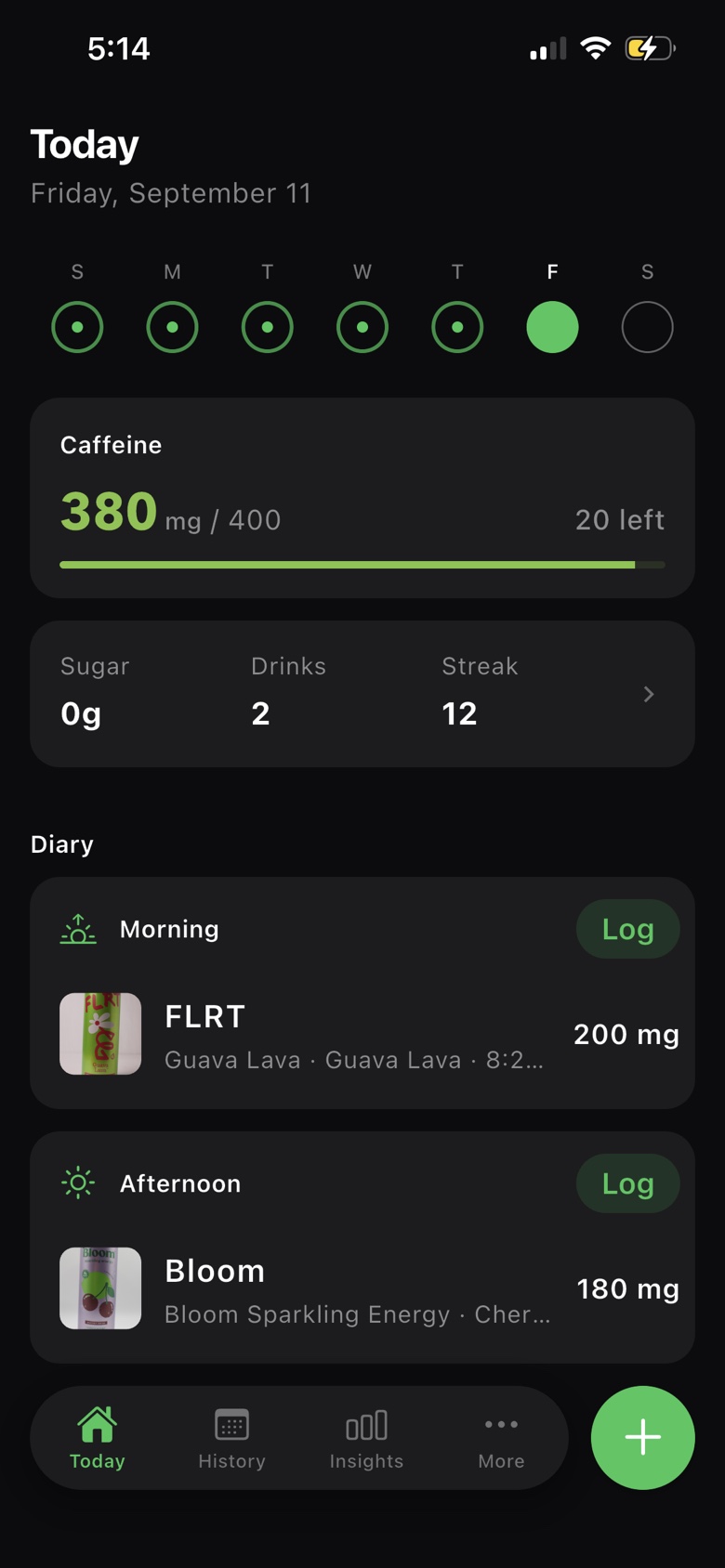
Today shows caffeine against the daily limit you set, plus sugar, drinks logged, and your streak.
A calendar of what you actually drank — morning, afternoon, and evening — not a one-day snapshot.
Insights compare this week to last week, when you usually drink, and how you are tracking against your limit.
Pick an accent color, switch units, use dark mode, and turn on optional reminders.
A calm iPhone log for caffeine and sugar. Export your data anytime — your logs belong to you.
Today, search, history, insights, and the accent you pick.
Today
Caffeine vs your limit, plus the cans you logged today.
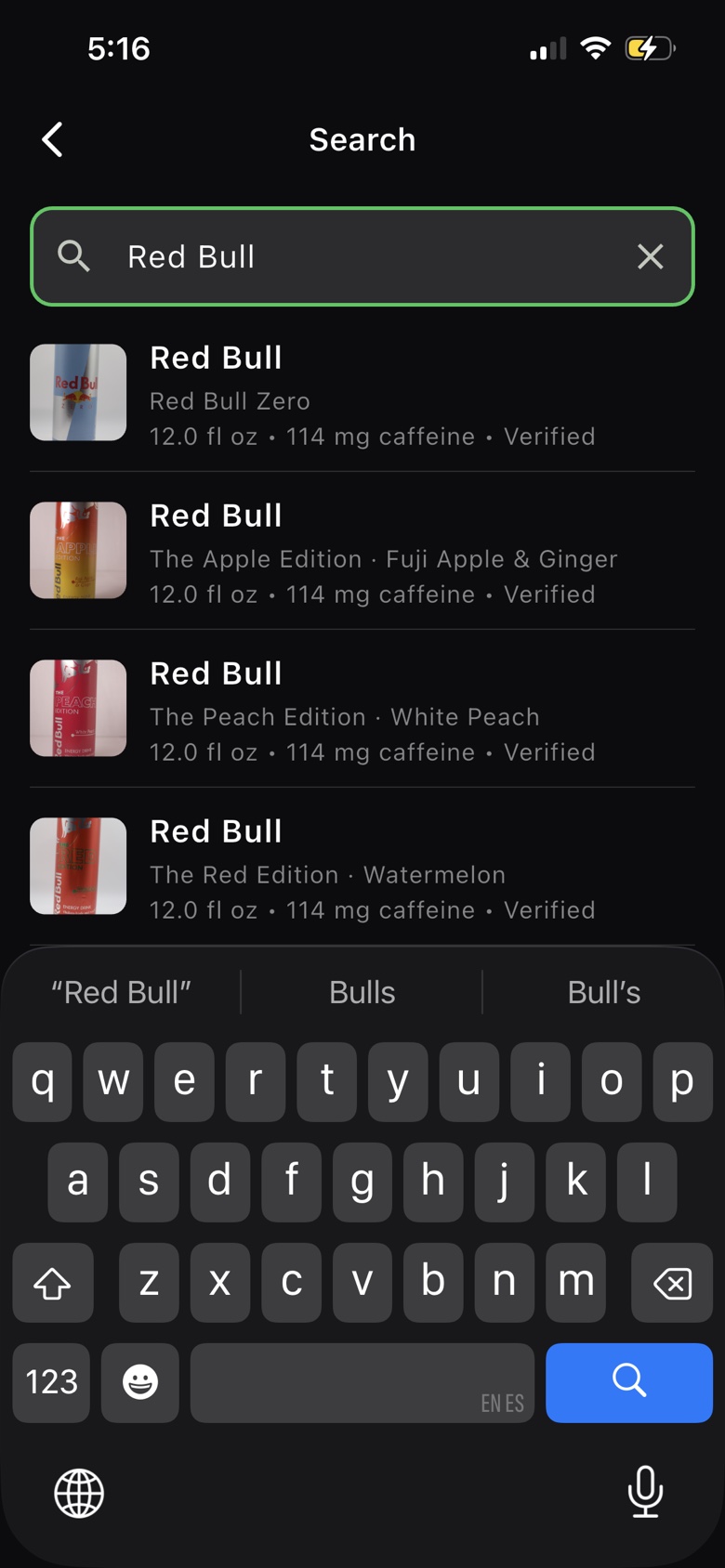
Search
Look up a drink from the catalog, then log it in a couple of taps.
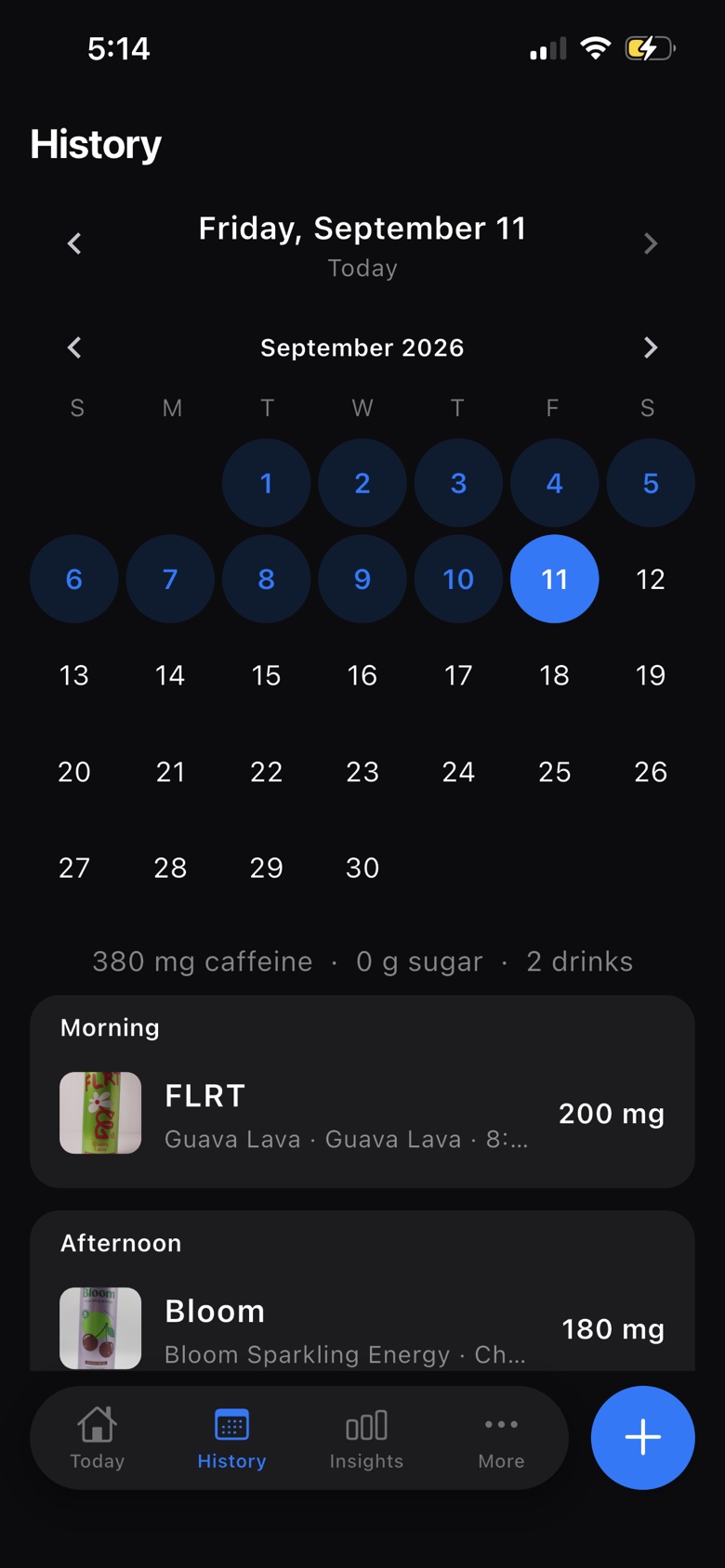
History
Flip through a calendar of what you drank, day by day.
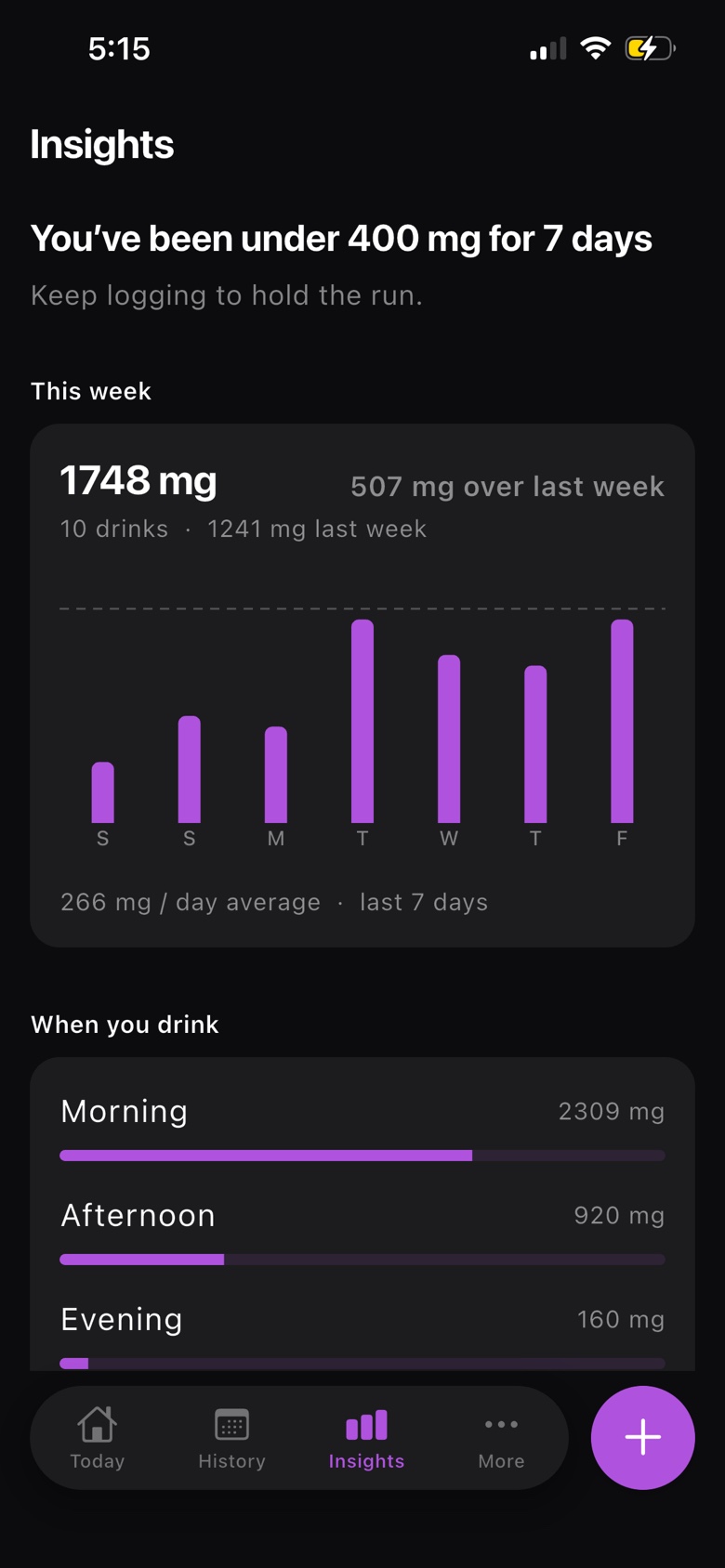
Insights
This week vs last week, and when you usually drink.
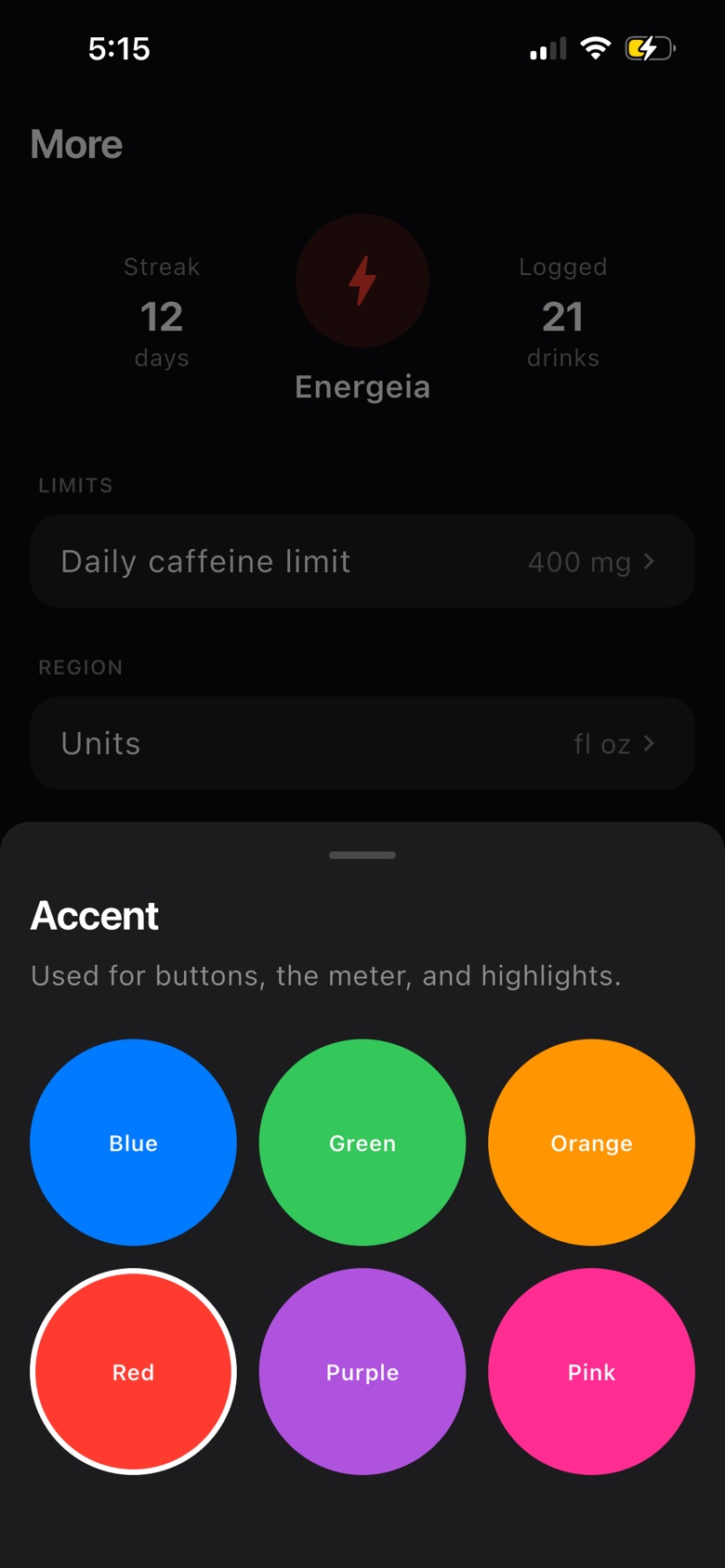
Accent
Pick an accent color for buttons, the meter, and highlights.
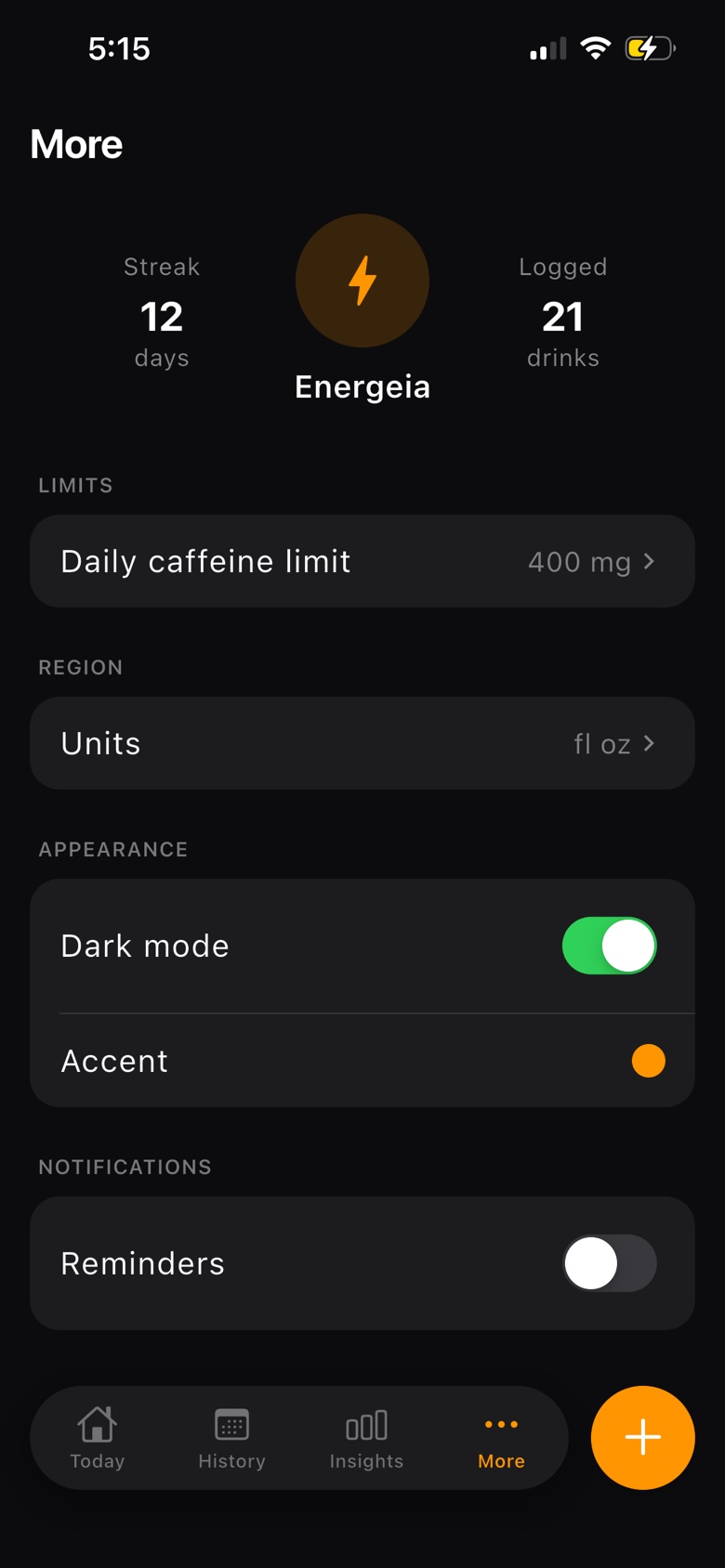
More
Set your limit, units, dark mode, and optional reminders.
Three steps from a can in your hand to a week you can read.
01
Search the catalog or scan the barcode. Verified caffeine and sugar fill in for you.
02
Add it to morning, afternoon, or evening and watch caffeine move against your limit.
03
Open Insights for this week vs last week, time of day, and days under your limit.
Free on iPhone. Log caffeine and sugar, stay on the limit you set, and keep a history of the drinks you actually consume.
Need help? Visit the help center or email support.